
AI on Android exploded between 2023–2025. Today your phone can write emails, generate images, edit photos like a pro, transcribe meetings, help you code, and even act as a creative partner — all inside fast, polished Android apps. This guide walks through the best AI apps for Android in 2025, why they matter, what they do, pricing and privacy notes, and which app is best for your needs.
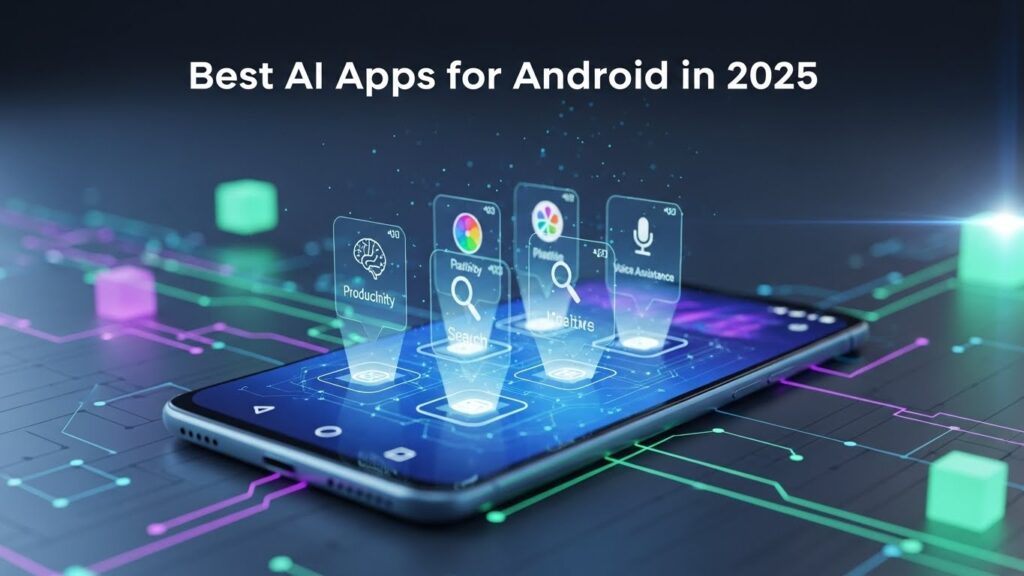
I tested and curated apps across categories: conversational assistants, productivity copilot apps, creative image/video generation, photo editing, transcription, and on-device open-source generation. For each app you’ll find what it does best, standout features, pricing hints, and practical tips.
How I picked these apps (quick criteria)
- Usefulness: solves real problems (writing, images, transcribe, coding).
- Polish: stable Android client, good UX.
- AI quality: strong model / useful features (multimodal, reasoning, image gen).
- Interoperability: integrations with other tools (Drive, Creative Cloud, Office).
- Privacy & control: clear policies, options for account controls.
Top picks at a glance (categories)
- Best general AI assistant: ChatGPT (OpenAI). (Google Play)
- Best Android-integrated assistant: Google Gemini. (Google Play)
- Best productivity copilot: Microsoft Copilot / Microsoft 365 Copilot. (Microsoft)
- Best creative image & video AI: Adobe Firefly (mobile). (The Verge)
- Best multimodel quick research assistant: Perplexity. (Google Play)
- Best consumer photo/portrait editor: Lensa. (Google Play)
- Best all-round design + AI generation: Canva (mobile). (Google Play)
- Best transcription / meeting AI: Otter.ai. (Otter.ai)
- Best on-device / open-source image models: Stable Diffusion Android clients / local runners. (GitHub)
- Best video-specific mobile tools: Runway (Gen models) & CapCut Creative Suite. (Runway)
Below I expand on each app (features, who it’s for, pricing & tips), plus real-world suggestions for choosing and using AI apps safely.
1) ChatGPT (OpenAI) — best generalist assistant on Android
What it does: ChatGPT remains the go-to conversational AI for drafting, brainstorming, code help, and now image generation. The official Android client syncs history and supports multimodal features in 2025 (image tools, plug-in integrations). (Google Play)
Standout features
- Natural conversational flow and follow-ups.
- Built-in image generation and basic editing features (increasingly available on mobile).
- Plugin ecosystem (productivity, creativity tools) on larger plans.
Best for
- Writers, students, developers, anyone who wants a powerful chat partner on the phone.
Pricing
- Free tier with limits; ChatGPT+ and higher tiers for priority access and advanced models.
Privacy tip
- Don’t paste highly sensitive credentials; use org or enterprise controls when on company data.
2) Google Gemini — Android’s deeply integrated AI
What it does: Gemini is Google’s flagship assistant and benefits from tight integration with Android, Search, and Google services. It’s optimized for on-device utility, multimodal queries, and creative generation via Gemini models. The Gemini app is available on Android and often ships features first on Google platforms. (Google Play)
Standout features
- Deep connectivity to Search, Gmail, Docs, and Android system actions.
- Image understanding and generation via Gemini image models (used across Google apps).
- NotebookLM and Google Labs experiments expanding creative workflows.
Best for
- Users deeply embedded in Google ecosystem and those who want assistant actions that touch Calendar, Drive, Maps.
Pricing
- Free basics; Google offers paid tiers (AI Plus/Pro) with more powerful models and extra features in some markets. (The Times of India)
3) Microsoft Copilot / Microsoft 365 Copilot — best for work & Office power users
What it does: Copilot consolidates Microsoft 365 features into an AI-powered productivity app. It helps create/edit Word docs, summarize email threads, build presentations, and query your OneDrive/SharePoint content. The Android Copilot clients have matured into full productivity companions. (Microsoft)
Standout features
- Context-aware document editing and summaries.
- Integration with Outlook, Teams, Excel formulas and slides generation.
- Enterprise controls (data governance) for workplace deployment.
Best for
- Professionals using Microsoft 365 who want AI inside their workflows.
Pricing
- Included in some Microsoft 365 plans, or as an add-on (varies by license).
4) Adobe Firefly (mobile) — best creative image & video generator on Android
What it does: Firefly brings Adobe’s generative models to mobile for text-to-image/video, generative fill, and compositing — with Creative Cloud sync so mobile creations move to Photoshop/Express seamlessly. Adobe has been expanding Firefly and integrating Firefly features into other workflows and partners. (The Verge)
Standout features
- Text-to-image and image-to-image at pro quality.
- Generative Fill / Expand (edit or extend photos).
- Creative Cloud sync and commercially safe training datasets.
Best for
- Creators who use Adobe tools and want studio-grade output on a phone.
Pricing
- Free tier with credits; Creative Cloud subscribers get Firefly credits / access.
5) Perplexity — best research & quick-answer AI on mobile
What it does: Perplexity combines live web search with generative models to deliver concise, cited answers. The Android app is lightweight, great for research, summaries, and follow-up threads. (Google Play)
Standout features
- Cited answers that point to sources.
- Fast follow-up threads and Pro search features.
- Great for fact-checking or prepping quick briefs.
Best for
- Students, journalists, and anyone who needs sourced, up-to-date answers on mobile.
Pricing
- Free basic; Perplexity Pro for deeper searches and more features.
6) Lensa — best portrait/photo AI editing
What it does: Lensa popularized avatar generators and advanced portrait retouching powered by neural filters. In 2025 it’s still a top pick for one-tap retouching and stylized AI avatars. (Google Play)
Standout features
- AI portrait retouch, skin smoothing, background removal, avatar makers.
- Trendy filters and creative styles for social media.
Best for
- Influencers and consumers who want quick, polished portraits and stylized avatars.
Pricing
- Freemium model; in-app purchases or subscriptions for avatar packs and credits.
Caveat
- Be mindful of terms when creating likenesses; read the app’s IP and model-use policy.
7) Canva (mobile) — best for design + quick AI generation
What it does: Canva’s Android app bundles Magic Design, Magic Edit, text-to-image, and an AI assistant for writing and layouts. It’s the fastest way to create social posts, slides, and marketing assets from prompts on mobile. (Google Play)
Standout features
- Text-to-image, Magic Eraser, layout generation, and Magic Write.
- Templates, export formats, and collaboration.
- Integration with Canva Apps marketplace (third-party AI models).
Best for
- Social media managers, small businesses, and creators who need fast content.
Pricing
- Free tier with limits; Pro unlocks brand kits, more AI features, and assets.
8) Otter.ai — best meeting transcription & note AI
What it does: Otter provides reliable meeting transcription, speaker identification, and AI summaries. The Android app integrates with Zoom, Google Meet and can transcribe in real time. It’s a staple for people who need meeting notes without manual typing. (Otter.ai)
Standout features
- Real-time transcription and automated summaries.
- Searchable, editable transcripts and shared workspaces.
- Specialized meeting integrations.
Best for
- Professionals, students, podcasters, and researchers.
Pricing
- Free tier (limited minutes); paid plans for more minutes and team features.
9) Stable Diffusion & on-device image apps — best for privacy and open models
What it does: A number of Android clients and wrappers let you run Stable Diffusion–style models locally (or connect to a remote AUTOMATIC1111 instance). These apps are great for privacy-minded creators and power users who want customizable models and local compute. (GitHub)
Standout features
- Local generation (no server upload) if your device is powerful or via local server.
- Full control of prompts, LoRA models, and samplers.
- Lower-cost (no credits) and mod-friendly.
Best for
- Hobbyist artists, privacy-conscious creators, and model experimenters.
Pricing
- Usually free/open-source; paid if you use cloud inference.
Tip
- For high quality or fast results, many people run a small GPU instance (or use cloud endpoints) and connect their Android client.
10) Runway, CapCut, Luma & other mobile video AI tools — best for video creators
What they do: Runway’s Gen models and CapCut’s creative suite bring text-to-video, video editing with AI effects, and generative edits to mobile. These apps let creators do advanced video tricks (background replacement, style transfer, video synthesis) from a phone. (Runway)
Best for
- Short-form creators, marketers, and editors who need on-the-go video capabilities.
11) Other useful AI Android apps (short list)
- Replika — AI companion and mental-health-adjacent chatbots (use cautiously; safety handling varies).
- Notion AI — writing assistant integrated into Notion app for notes and docs.
- Grammarly — mobile keyboard + AI writing correction.
- Snapchat (My AI) — social chatbot with image features (good for casual use).
- CapCut — AI templates and editing for viral clips.
(When using chatbots for sensitive mental health issues, note some apps have inconsistent crisis handling; prefer verified, local resources.) (The Verge)
How these apps differ — quick map
- Text-first assistants: ChatGPT, Gemini, Perplexity.
- Work/productivity copilots: Microsoft Copilot, Notion AI.
- Creative image/video: Adobe Firefly, Runway, Stable Diffusion clients, Canva.
- Photo editing / avatars: Lensa, Picsart.
- Speech → text / meeting: Otter.ai.
- On-device / privacy-first: Stable Diffusion mobile, local runners.
Choosing the right AI app for you
- If you write a lot: ChatGPT or Gemini for brainstorming; Grammarly + Notion AI for inline help.
- If you create visuals: Adobe Firefly or Canva for polished assets; Stable Diffusion for custom, private models.
- If you work in Office: Microsoft Copilot ties directly into Word/Excel/Outlook.
- If you transcribe meetings: Otter.ai (best integration & features).
- If privacy matters: prefer on-device Stable Diffusion or enterprise plans with data controls.
Pricing & cost strategies
- Freemium + credits is the dominant model (Adobe Firefly, Lensa, Canva).
- Subscription is common for productivity copilots (Copilot, ChatGPT+ tiers).
- Per-credit for high-compute generation (some Firefly or image services).
Tip: evaluate your monthly prompt/credit usage. Many creators save money by batching heavy job to desktop/cloud, and using mobile for quick edits and prompts.
Safety, copyright & ethics — what to watch
- Image model provenance: many pro tools (Adobe, Google) emphasize commercially safe training datasets; check licenses when using generated art commercially. (The Verge)
- Bias & hallucinations: chat assistants can hallucinate facts; Perplexity’s cited answers help reduce this risk. (Google Play)
- Mental-health use: chatbots are not a substitute for professional help; The Verge reported inconsistent crisis handling across bots — be cautious. (The Verge)
- Privacy settings: review app permissions and retention policies (especially for transcription apps like Otter or any app that stores media).
Practical tips — getting the most from mobile AI
- Use prompts like a pro: short context + specific request + desired format. Eg: “Write a 3-point email to my manager explaining X and proposing Y — subject line included.”
- Batch heavy tasks: generate many image variants or long transcripts when connected to Wi-Fi to save data/credits.
- Sync across devices: use official clients (ChatGPT, Gemini, Copilot) to keep history across phone & desktop. (Google Play)
- Leverage integrations: export Firefly images to Photoshop, or copy Copilot output straight into Word — saves time. (The Verge)
What’s coming next (short outlook)
- Tighter Android system AI integration — assistants that act on-device (compose messages, control settings, orchestrate apps). Google and Microsoft continue to deepen OS hooks. (Gemini)
- Multimodal creativity — image + video + voice generation workflows on mobile will get faster and cheaper (expect more Firefly/Runway improvements). (The Verge)
- Hybrid local/cloud models — seamless switching between on-device private models and cloud for heavyweight tasks (speed + privacy balance). Stable Diffusion mobile clients will improve here. (GitHub)
Quick comparisons — which app for which job (cheat sheet)
- Draft and refine longform content → ChatGPT or Microsoft Copilot. (Google Play)
- Fast, cited factual answers → Perplexity. (Google Play)
- Pro image generation & edits → Adobe Firefly (Creative Cloud sync). (The Verge)
- On-device generative art & customization → Stable Diffusion mobile clients. (GitHub)
- Meeting transcripts & summaries → Otter.ai. (Otter.ai)
- Social assets quickly → Canva or Lensa for portraits. (Google Play)
Final thoughts — what to install first
If you’re building an “AI toolkit” on Android in 2025, my starter pack would be:
- ChatGPT — daily assistant for writing & idea work. (Google Play)
- Gemini — for Android-first searches, image queries, and Google integrations. (Google Play)
- Adobe Firefly or Canva — depending on how pro your visuals must be. (The Verge)
- Otter.ai — if you attend meetings, interviews or lectures. (Otter.ai)
- A Stable Diffusion client if you want on-device generation or maximum control. (GitHub)
These five cover writing, search/assistant, visuals, meetings, and private generation — a balanced AI toolkit for most Android users.